Panoramica
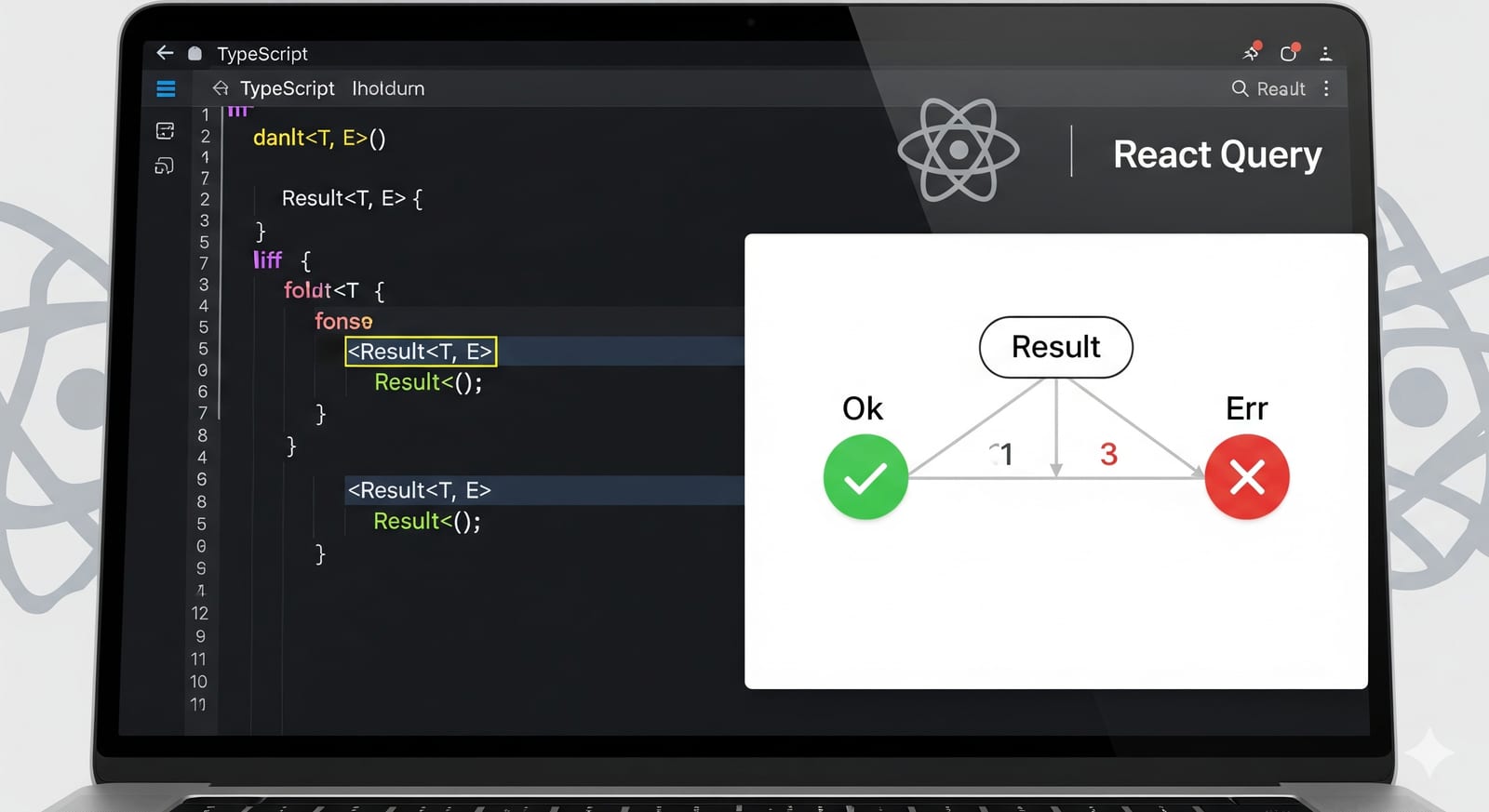
Il Result Pattern è un approccio della programmazione funzionale alla gestione degli errori che rende espliciti gli stati di successo e di errore nel sistema di tipi. Invece di lanciare eccezioni, tutte le operazioni restituiscono un tipo Result<T, E> che può essere Ok<T> (successo) o Err<E> (errore).
Tipi Result fondamentali
export type Ok<T> = {
  type: "ok";
  value: T;
};

export type Err<E> = {
  type: "err";
  error: E;
};

export type Result<T, E = Error> = Ok<T> | Err<E>;

// Helper constructors
export const ok = <T>(value: T): Ok<T> => ({
  type: "ok",
  value,
});

export const err = <E>(error: E): Err<E> => ({
  type: "err",
  error,
});
Vantaggi del Result Pattern
- Gestione errori esplicita: gli errori diventano parte del sistema di tipi
- Type safety: TypeScript garantisce la gestione di entrambi i casi, successo ed errore
- Componibilità: i Result possono essere concatenati e trasformati in modo sicuro
- Nessuna eccezione nascosta: tutte le modalità di fallimento sono visibili nelle API
- Testing migliore: più facile testare sia i percorsi di successo che di fallimento
Design delle API con il Result Pattern
Esempio del Service Layer
// types.ts
interface User {
  id: string;
  name: string;
  email: string;
}

interface ApiError {
  message: string;
  code: string;
  statusCode: number;
}

// userService.ts
class UserService {
  async fetchUsers(): Promise<Result<User[], ApiError>> {
    try {
      const response = await fetch("/api/users");

      if (!response.ok) {
        return err({
          message: "Failed to fetch users",
          code: "FETCH_ERROR",
          statusCode: response.status,
        });
      }

      const users: User[] = await response.json();
      return ok(users);
    } catch (error) {
      return err({
        message: "Network error occurred",
        code: "NETWORK_ERROR",
        statusCode: 0,
      });
    }
  }

  async fetchUserById(id: string): Promise<Result<User, ApiError>> {
    try {
      const response = await fetch(`/api/users/${id}`);

      if (response.status === 404) {
        return err({
          message: "User not found",
          code: "USER_NOT_FOUND",
          statusCode: 404,
        });
      }

      if (!response.ok) {
        return err({
          message: "Failed to fetch user",
          code: "FETCH_ERROR",
          statusCode: response.status,
        });
      }

      const user: User = await response.json();
      return ok(user);
    } catch (error) {
      return err({
        message: "Network error occurred",
        code: "NETWORK_ERROR",
        statusCode: 0,
      });
    }
  }
}
Integrazione con React Query
Approccio di integrazione diretta
Il concetto chiave è che con il Result Pattern, le tue API restituiscono sempre HTTP 200 (successo), e lo stato reale di successo/errore è codificato nel tipo Result<T, E> all’interno dei dati della risposta.
import { useQuery, useMutation, useQueryClient } from "@tanstack/react-query";
import { match } from "ts-pattern";

// Utilizzo diretto con React Query
export const useFetchUsers = () => {
  return useQuery({
    queryKey: ["users"],
    queryFn: () => userService.fetchUsers(), // Returns Promise<Result<User[], ApiError>>
    // No need for error handling here - Result pattern handles it
  });
};

export const useFetchUserById = (id: string | undefined) => {
  return useQuery({
    queryKey: ["users", id],
    queryFn: () => userService.fetchUserById(id!),
    enabled: !!id,
  });
};
Esempio con Mutation
export const useCreateUser = () => {
  const queryClient = useQueryClient();

  return useMutation({
    mutationFn: (userData: CreateUserRequest) =>
      userService.createUser(userData),
    onSuccess: (result) => {
      // Handle result using ts-pattern
      match(result)
        .with({ type: "ok" }, ({ value: user }) => {
          // Success case
          console.log("User created:", user.name);
          queryClient.invalidateQueries({ queryKey: ["users"] });
        })
        .with({ type: "err" }, ({ error }) => {
          // Error case
          console.error("Creation failed:", error.message);
        })
        .exhaustive();
    },
  });
};
Utilizzo nei componenti con ts-pattern
Esempio di componente base
import React from 'react';
import { match } from 'ts-pattern';
import { useFetchUsers } from './hooks/userQueries';

export const UserList: React.FC = () => {
  const { data: usersResult, isLoading } = useFetchUsers();

  if (isLoading) {
    return <div>Loading...</div>;
  }

  // usersResult is Result<User[], ApiError> | undefined
  if (!usersResult) {
    return <div>No data</div>;
  }

  return match(usersResult)
    .with({ type: "ok" }, ({ value: users }) => (
      <div>
        <h2>Users ({users.length})</h2>
        <ul>
          {users.map(user => (
            <li key={user.id}>
              {user.name} - {user.email}
            </li>
          ))}
        </ul>
      </div>
    ))
    .with({ type: "err" }, ({ error }) => (
      <div>
        <h2>Error Loading Users</h2>
        <p>{error.message}</p>
        {error.code === 'NETWORK_ERROR' && (
          <button onClick={() => window.location.reload()}>
            Retry
          </button>
        )}
      </div>
    ))
    .exhaustive();
};
Componente con gestione errori specifica
export const UserProfile: React.FC<{ userId: string }> = ({ userId }) => {
  const { data: userResult, isLoading } = useFetchUserById(userId);

  if (isLoading) {
    return <div>Loading user...</div>;
  }

  if (!userResult) {
    return <div>No data</div>;
  }

  return match(userResult)
    .with({ type: "ok" }, ({ value: user }) => (
      <div>
        <h1>{user.name}</h1>
        <p>Email: {user.email}</p>
        <p>ID: {user.id}</p>
      </div>
    ))
    .with({ type: "err", error: { code: "USER_NOT_FOUND" } }, () => (
      <div>
        <h2>User Not Found</h2>
        <p>The user with ID {userId} does not exist.</p>
      </div>
    ))
    .with({ type: "err", error: { code: "NETWORK_ERROR" } }, () => (
      <div>
        <h2>Connection Error</h2>
        <p>Please check your internet connection and try again.</p>
      </div>
    ))
    .with({ type: "err" }, ({ error }) => (
      <div>
        <h2>Error</h2>
        <p>{error.message}</p>
      </div>
    ))
    .exhaustive();
};
Form con Mutation
export const CreateUserForm: React.FC = () => {
  const [name, setName] = useState('');
  const [email, setEmail] = useState('');

  const { mutate: createUser, isPending } = useCreateUser();

  const handleSubmit = (e: React.FormEvent) => {
    e.preventDefault();

    createUser({ name, email }, {
      onSuccess: (result) => {
        match(result)
          .with({ type: "ok" }, ({ value: user }) => {
            alert(`User ${user.name} created successfully!`);
            setName('');
            setEmail('');
          })
          .with({ type: "err", error: { code: "VALIDATION_ERROR" } }, ({ error }) => {
            alert(`Validation Error: ${error.message}`);
          })
          .with({ type: "err" }, ({ error }) => {
            alert(`Error: ${error.message}`);
          })
          .exhaustive();
      },
    });
  };

  return (
    <form onSubmit={handleSubmit}>
      <div>
        <label>Name:</label>
        <input
          value={name}
          onChange={(e) => setName(e.target.value)}
          required
        />
      </div>
      <div>
        <label>Email:</label>
        <input
          type="email"
          value={email}
          onChange={(e) => setEmail(e.target.value)}
          required
        />
      </div>
      <button type="submit" disabled={isPending}>
        {isPending ? 'Creating...' : 'Create User'}
      </button>
    </form>
  );
};
Concetti chiave
1. Le API restituiscono sempre successo
Con il Result Pattern, le tue chiamate HTTP restituiscono sempre 200 OK. Il successo/fallimento è codificato nel tipo Result:
// API Response is always successful HTTP-wise
const response = await fetch("/api/users"); // Always 200 OK
const result: Result<User[], ApiError> = await response.json();

// The actual success/error is in the Result
match(result)
  .with({ type: "ok" }, ({ value }) => {
    // Handle successful data
  })
  .with({ type: "err" }, ({ error }) => {
    // Handle error case
  })
  .exhaustive();
2. Niente stati di errore di React Query
Dato che la chiamata HTTP ha sempre successo, isError di React Query sarà raramente true. Tutta la gestione degli errori avviene tramite pattern matching sul tipo Result:
const { data: result, isLoading } = useQuery({
  queryKey: ["users"],
  queryFn: fetchUsers, // Returns Result<User[], ApiError>
});

// isError will be false (HTTP succeeded)
// Real error handling is done via pattern matching on `result`
3. Approccio ibrido: quando lanciare e quando ritornare Result.err
C’è una conseguenza esplicita di questo design: se la queryFn non lancia mai, React Query considera ogni chiamata un successo, non riprova mai, e mette in cache anche i Result.err. Per gli errori di dominio (utente non trovato, validazione fallita, regola di business violata) questo è desiderabile: non vuoi che RQ martelli il server tre volte perché un utente non esiste, e cachare l’esito negativo per lo stesso input è quasi sempre il comportamento corretto.
Per gli errori infrastrutturali, però, è uno spreco: una rete down o un 5xx transitorio andrebbero riprovati, ed è proprio quello che retry di React Query fa di default — ma solo se la queryFn lancia.
La soluzione è un approccio ibrido: lancia per gli errori inattesi, ritorna Result.err per quelli di dominio.
async function fetchUser(id: string): Promise<Result<User, DomainError>> {
  let response: Response;
  try {
    response = await fetch(`/api/users/${id}`);
  } catch (e) {
    // Errore di rete: lancia, lascia che RQ riprovi
    throw e;
  }

  if (response.status >= 500) {
    // Errore infrastrutturale: lancia, lascia che RQ riprovi
    throw new Error(`Server error: ${response.status}`);
  }

  if (response.status === 404) {
    // Errore di dominio: ritorna Result.err, niente retry, cacha il negativo
    return Result.err({ code: "USER_NOT_FOUND", message: "Utente non trovato" });
  }

  const user = await response.json();
  return Result.ok(user);
}
Così sfrutti i retry built-in di RQ dove servono, mantenendo la garanzia a livello di tipi sugli errori di dominio.
4. Type safety con ts-pattern
La libreria ts-pattern fornisce pattern matching esaustivo, garantendo la gestione di tutti i casi:
// TypeScript ensures all cases are handled
return match(result)
  .with({ type: "ok" }, ({ value }) => {
    // Handle success - TypeScript knows `value` is User[]
  })
  .with({ type: "err" }, ({ error }) => {
    // Handle error - TypeScript knows `error` is ApiError
  })
  .exhaustive(); // Compiler error if any case is missing
Best practice
- Tipi di errore consistenti: usa un’interfaccia errore standardizzata in tutta l’applicazione
- Pattern matching esplicito: usa sempre
match()con.exhaustive()per una type safety completa - Codici errore specifici: usa codici errore significativi per gestioni differenziate
- Errori di dominio come dati, errori infrastrutturali come eccezioni: ritorna
Result.errper gli outcome negativi previsti, lancia per ciò che è genuinamente inatteso (rete, 5xx, timeout) così da poter sfruttare i retry di React Query - Pattern matching anticipato: gestisci i tipi Result il più vicino possibile alla fonte dei dati
- Annotazioni di tipo: sii esplicito sui tipi Result nelle firme delle funzioni
Strategia di migrazione
- Inizia in piccolo: parti con un singolo service/endpoint API
- Converti prima i service: aggiorna il tuo service layer per restituire tipi Result
- Aggiorna i componenti: sostituisci i try/catch con il pattern matching
- Adozione graduale: migra gli endpoint uno alla volta
- Formazione del team: assicurati che il team comprenda il pattern prima di un’adozione su larga scala
Questo approccio fornisce gestione errori esplicita, migliore type safety ed elimina le eccezioni nascoste, integrandosi perfettamente con React Query.
Commenti
Caricamento commenti...