
My product is a blog—a simple blog—and it has its own needs.
Below is a short list of “No’s!” I shouted to myself to build a better relationship with it.
No vanilla-extract!
First of all, I got rid of vanilla-extract because updating my CSS had become too complex. Instead, I created a global CSS file where I defined my color palette and included everything my blog needs.
Next, I started using nested classes to style my Astro components. Keep it simple, stupid.
.Card {
  ...,
  .title,
  .description,
  .date,
  .tags {
    margin-bottom: var(--space-medium);
  }
  .info {
    padding: var(--space-medium) 0;
  }

  h3 {
    margin-bottom: 0;
    font-size: var(--fontSize-large);
  }
...
}
I used to think that CSS preprocessors were essential for libraries, but now, with features like @layer and @scope, their main advantage is facilitating better communication between team members—primarily thanks to TypeScript integration.
No Effect-ts!
It was a great way to work, but it became too complex to update my logic. I wanted to expand my Last Watched Movie and Last Listened Song sections, but updating these parts became overly difficult.
While effect-ts is fantastic for preventing errors—forcing you to handle every use case, including the promise returned by the .json() method—it became too hard for me to maintain.
So, I switched to zod for simple payload validation. That’s it. No more, no less.
No React-js!
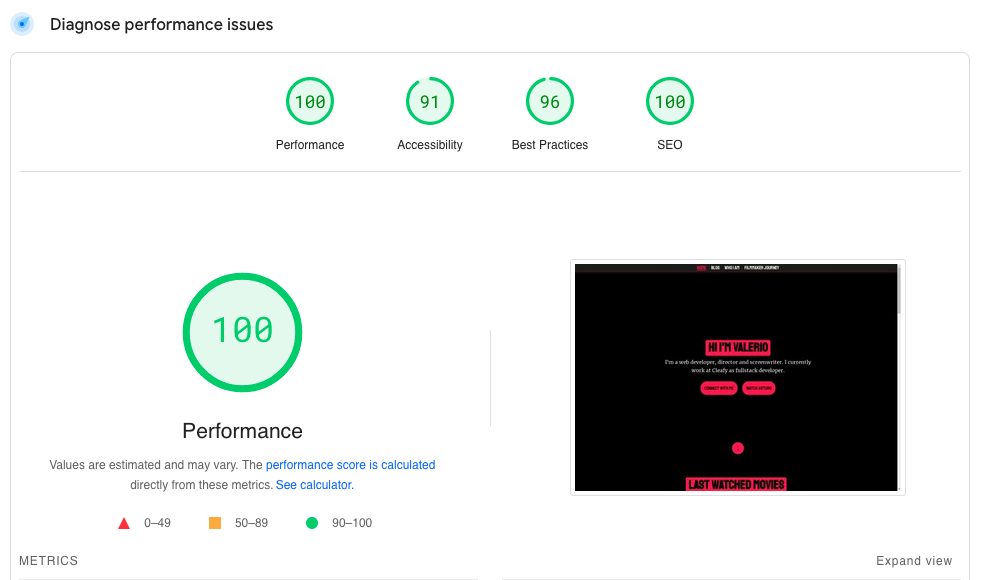
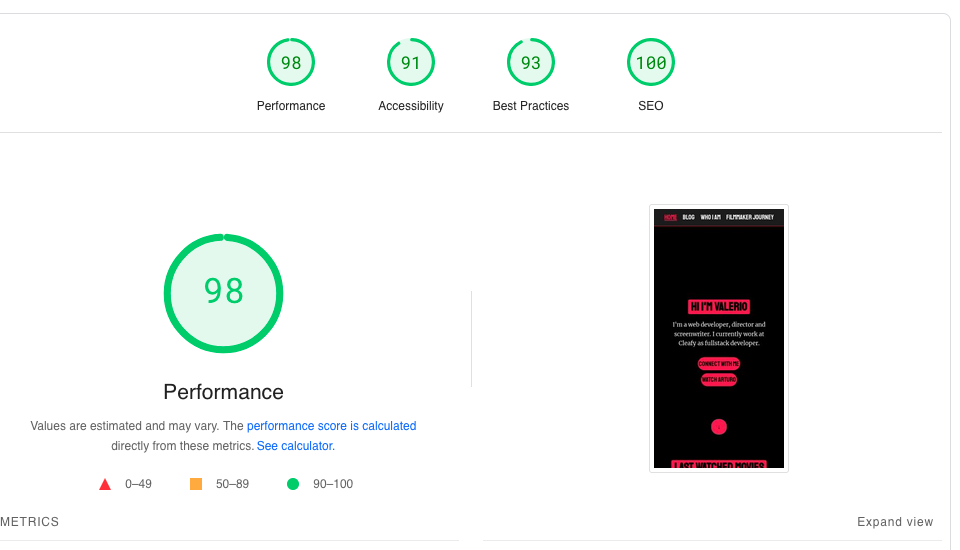
While I was using React components within Astro, I found that Astro injects JavaScript into these components, which can sometimes lead to increased load times and complexity.
Now the result is the move from 80% to 100% performance.
No Markdown!
Writing in Markdown has become a barrier for me, and I used to write in the following way:
- Create a first draft in Notion
- Export the post from Notion as markdown.
- Refine my Markdown so that Astro can read it without errors
- Check it
- Push it to GitHub
I have now moved to HyGraph and connected it to my Astro website. HyGraph provides me with 100GB of storage and complete control over the post schema. I can use GraphQL, but the only downside is that exporting will require a script that I need to build myself.
After the connection, I created a small GitHub Action to perform two builds per day, which is solely connected to HyGraph.
// .github/workflows/netlify-build.yml

name: Trigger Netlify Build

on:
  schedule:
    - cron: '0 12 * * *'
    - cron: '0 18 * * *'

jobs:
  trigger-build:
    runs-on: ubuntu-latest

    steps:
      - name: Trigger build to Netlify
        run: |
          curl -X POST -d '{}' https://api.netlify.com/build_hooks/67362820c0646f083c57490e
Conclusion
In building my blog, I’ve learned the value of simplicity and adaptability. By saying “No” to tools that complicated my workflow, I’ve created a more efficient development experience.
Switching from vanilla-extract to a global CSS file, moving from effect-ts to zod for validation, and embracing Astro for static site generation, along with integrating HyGraph for content management, have all helped me focus on my blog’s needs.
I hope my journey resonates with others facing similar challenges. Thank you for reading, and feel free to reach out with any questions!
Comments
Loading comments...